A bakery lives and dies by orders placed ahead of time. The birthday cake for Saturday, a dozen sourdough for the cafe down the road, the office platter for Friday morning: most of it is spoken for before it comes out of the oven. And most of it, still, arrives by phone. The call comes in at the worst possible moment, mid-rush, flour to the elbows, a queue at the counter, and you either abandon the customer in front of you or half-hear the one on the line. Neither ends well. The person at the counter always wins, and the caller becomes a misheard date, a wrong inscription, or an order that simply never got written down.
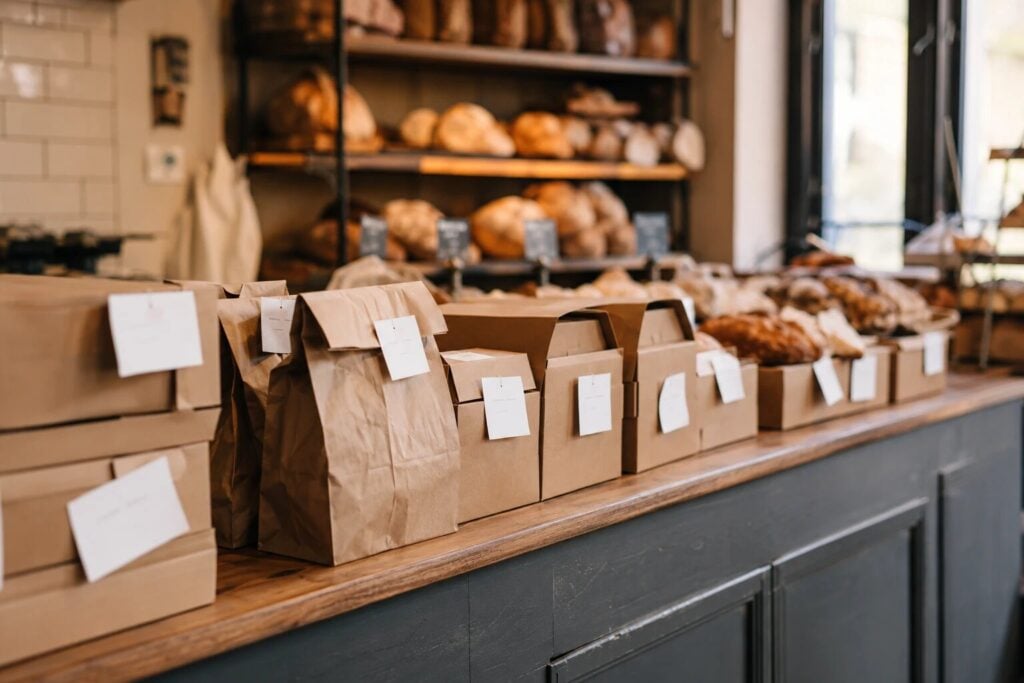
Then there is the order that gets made and never collected. A custom cake, decorated to the brief, boxed and waiting on the shelf, and nobody comes. It cannot be resold, so at closing it goes in the bin, along with the ingredients, the two hours of decorating, and the slot in the oven schedule another paying order could have had. One of those a week quietly eats a bakery’s margin.
Taking pre-orders online for collection fixes both problems, and it does not need WooCommerce, a developer, or a monthly platform fee. Here is how a bakery sets it up, properly.
Where phone and paper orders fall down
A phone order interrupts, and it interrupts most when you are busiest, because that is when customers are thinking about you. It cannot be taken while your hands are in a mixer, and it leaves no record beyond a scribble you have to trust three days later. Details get misheard: the wrong Saturday, “Happy 40th Brian” instead of Bryan, six cupcakes instead of a dozen. And a spoken “I’ll pick it up at the weekend” pins down nothing, which is exactly why so many collections drift or never happen.
An online pre-order flips all of that. Orders arrive whenever the customer thinks of them, which for birthday cakes is often 9pm on the sofa, written down in full, in the customer’s own words, with a collection time attached. You read them when you have a moment, not when the phone demands it.
What a bakery actually needs
Not a full e-commerce platform. The list is short and specific:
- Collection time slots with a cap. A cake handover with a quick check of the box takes a few minutes; you do not want twelve of them at 9am. Slots with a limit on orders per slot spread collections across the morning instead of stacking them on top of the walk-in rush.
- An order cut-off. Tomorrow’s bread has to be ordered by a set time today, so you know how much dough to mix. Celebration cakes need longer, and customers should be told so before they order, which ends the “I know it’s short notice, but…” conversation.
- Quantities that match how you sell. A single loaf, a half-dozen rolls, a baker’s dozen. Fixed-price-per-item thinking breaks the moment your counter sells by the pack.
- One list for the day. A single screen showing what is due for collection today and when, so nothing is missed, and nothing gets made twice because two people read two different scraps of paper.
- A way to take payment that suits you. Plenty of bakeries are happy taking cash at handover; some want custom orders paid up front. Both should be possible.
Setting it up with BoxCart
BoxCart is a free WordPress plugin built for exactly this workflow, with no WooCommerce underneath. If your bakery already has a WordPress site, the setup is genuinely an afternoon’s work:
- Install it and run Guided Setup. It walks you through your shop pages, your collection point and time slots, your first product and how you’ll take payment, in about five minutes.
- Open your collection slots. Set your counter hours, define slots (say, every half hour from 8am), and cap how many orders each slot holds. Full slots drop off the checkout on their own, so you never promise more handovers than the counter can manage.
- Set your order cut-off. Either a lead time, such as 24 hours, or a set time, like 2pm the day before. It’s one rule for the whole shop, so set it for your bread, and put the notice cakes need (48 hours for a celebration cake, longer for wedding tiers) in their descriptions. Customers only ever see collection times you can honour.
- Add your products the way you sell them. A sourdough by the loaf, cupcakes by the half-dozen or dozen, a cake by the size. Each product carries its own quantity options and photos, and photos matter more in baking than in almost any other trade.
- Choose how you take payment. Cash on collection and bank transfer are built in and free, which suits the regular bread trade fine.
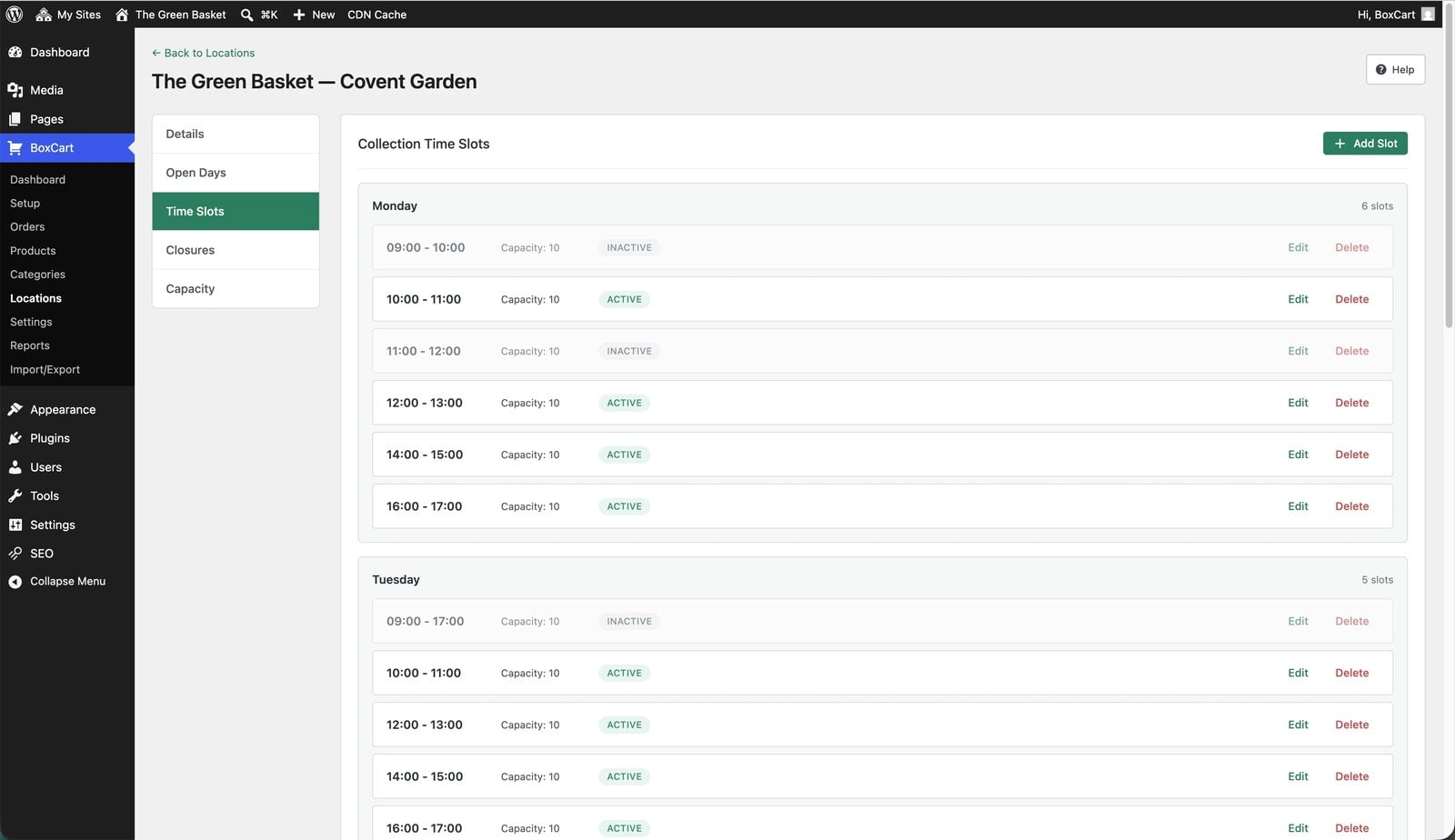
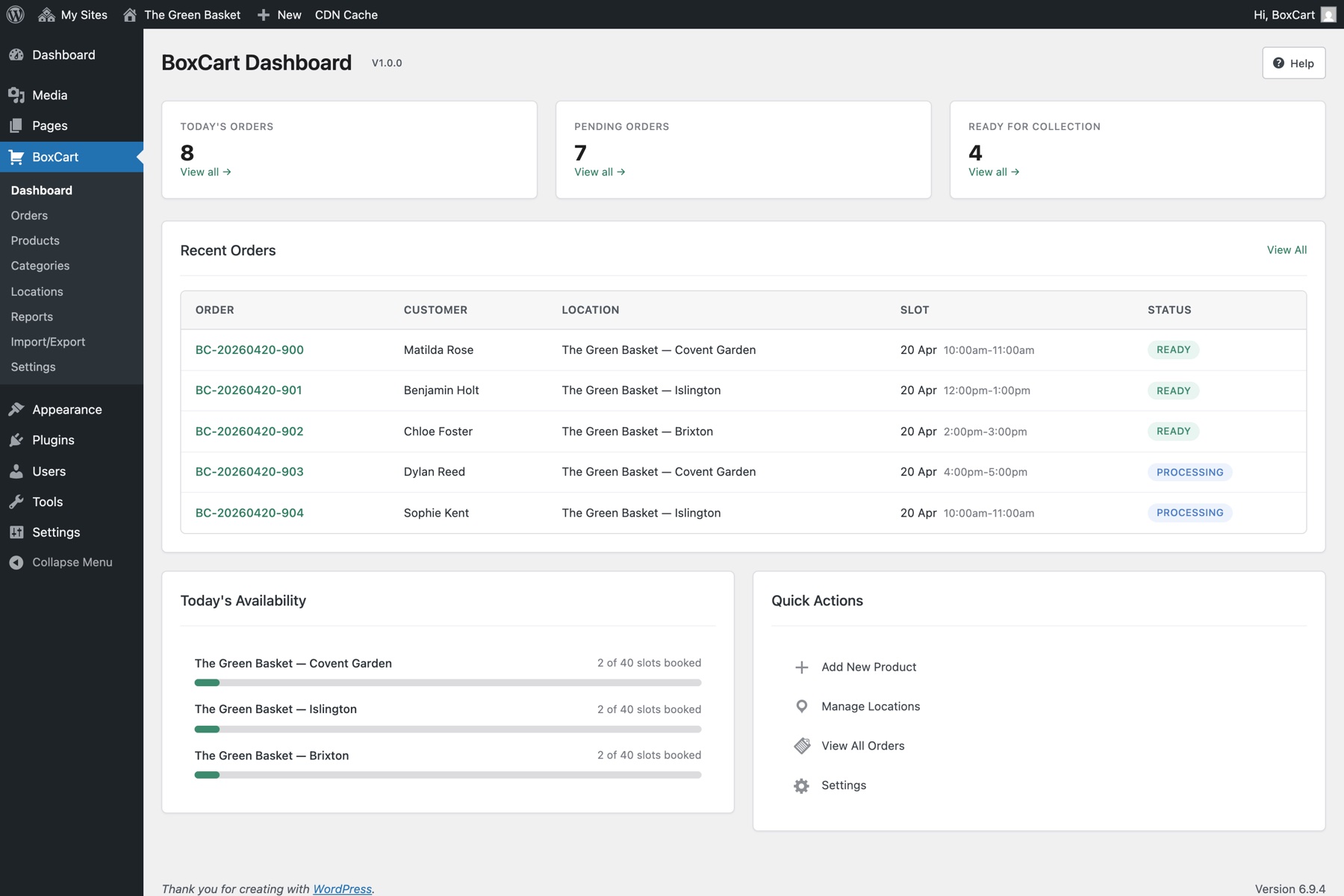
From then on, orders land in one dashboard with today’s collections front and centre, and a “BoxCart Today” widget on your WordPress dashboard shows at a glance what is due. The day’s orders export to a spreadsheet in one click, one row per order. If you’d like the bake list itself, every loaf and cake added up across the day’s orders, that’s BoxCart Pro’s pick list.
What your customers see
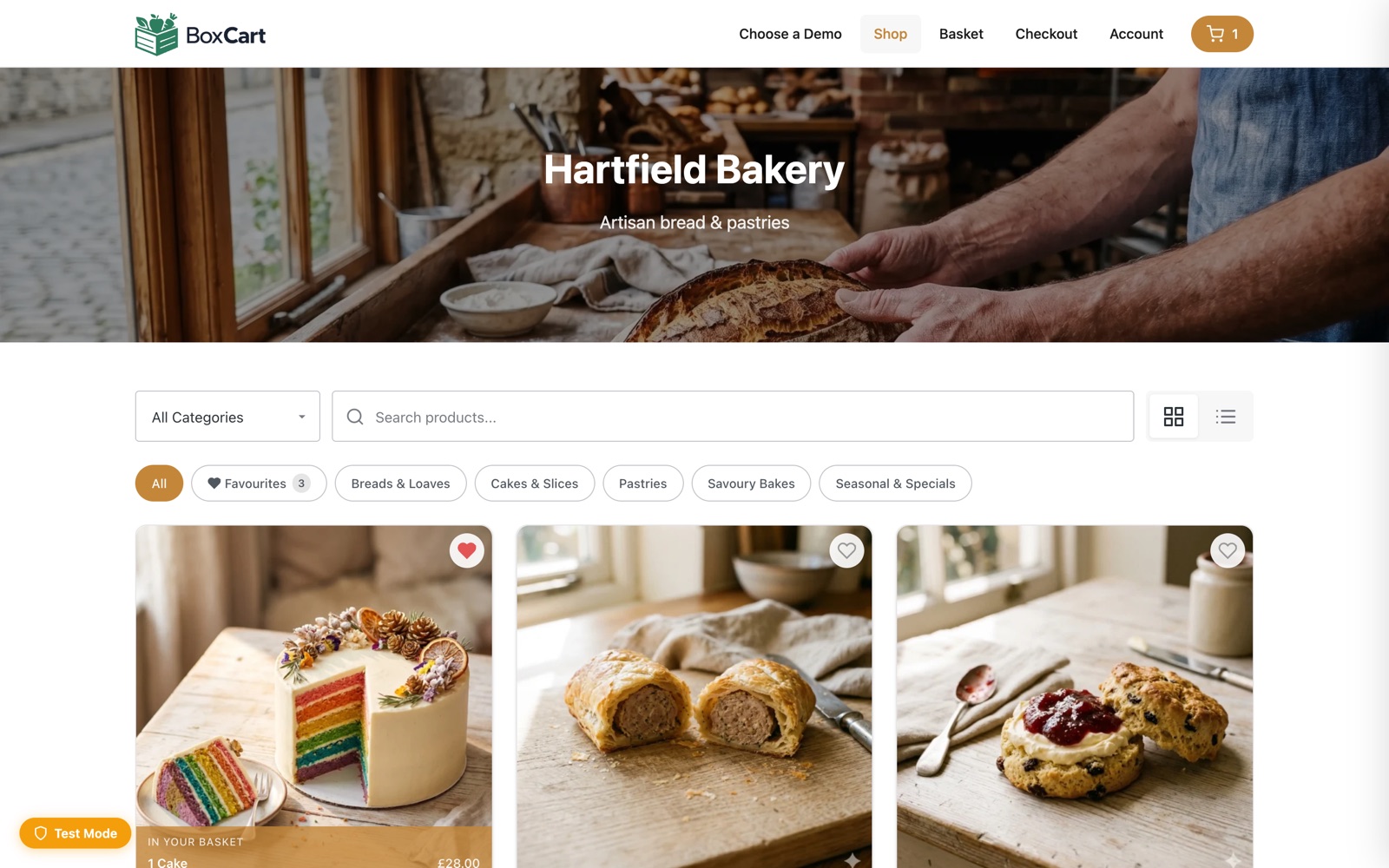
A proper little shopfront: product cards with photos, search, and a basket that follows them as they browse. At checkout they pick a collection slot from the times you have opened, with live availability, and they do not have to create an account to order, because guest checkout is the default. That matters for the once-a-year birthday cake customer, who wants to order a cake, not open a relationship.
The moment they order, a branded confirmation email lands in their inbox with the items, the collection time, and a secure link to view the order without logging in. That email quietly does the anti-no-show work: the collection is pinned to a written time in their inbox rather than a half-remembered phone call. And as you move the order along in the dashboard, BoxCart can email again, so “your order is ready to collect” sends itself while your hands stay in the dough.

None of it needs a deposit or a penalty to work. Most missed collections are not people trying it on; they are people who were never given a firm time or a written confirmation. A chosen slot and an email in the inbox fix the large majority of them.
When the free version is not quite enough
Everything above is in the free plugin, and for a lot of bakeries it is the whole answer. BoxCart Pro earns its keep in a few specific situations:
- You want custom orders paid before you bake. Pro adds Stripe, so a customer pays by card, Apple Pay, or Google Pay when they order. For a decorated cake, being paid up front means an uncollected order stings your evening, not your takings.
- Cake briefs need a back-and-forth. Pro’s two-way messaging keeps “could the icing be lilac rather than purple?” attached to the order itself, instead of buried in a text thread on your personal phone.
- Bank holidays and your summer week off. Scheduled closures switch collection dates off in advance, so nobody books a pickup for a day the ovens are cold.
- You want to know what actually sells. Sales reports show your best sellers and busiest days, which is worth having before you decide what to drop from the Saturday bake.
A Saturday morning, sorted
Picture the weekend rush with the pre-orders already in. Eight loaves for collection at nine, a birthday cake at half past ten, two dozen rolls at eleven, each with a slot, each confirmed by email, each on one list you glanced at while the first bake proved. The phone still rings, but it is no longer the order book. The counter is free for the walk-in trade, and the cake in the box on the shelf has a name, a time, and a customer who was reminded this morning that it is ready.
Running a UK bakery and short on time? Our Click & Collect Websites service sets all of this up for you, loads your whole range with photos and hosts it, alongside the website you already have.
If you want to feel the customer side of it first, place a pretend order on our bakery demo shop, then install BoxCart free from WordPress.org and set up your own counter. For the full walkthrough on a fresh site, our guide to adding local pickup to WordPress covers every step.
Add local pickup to your shop
BoxCart is free on WordPress.org, a complete pickup-ordering store with time slots and no WooCommerce required.
Rather we set it all up for you? Click & Collect Websites builds, hosts and looks after your ordering shop.