

It goes up on the counter some time in October: a stack of Christmas order forms, a pen on a string, and a box for the finished ones. By the second week of December the box is full, three people have written on the forms in three different hands, someone has crossed out “goose” and written “turkey (big)” in the margin, and the order for Mrs Allen is on a sticky note on the till because she rang during the Saturday rush. On the 23rd, somebody stays late adding up how many 5 to 6 kilo birds that actually comes to.
The paper form isn’t the problem. It’s a good form, mostly. The problem is everything that happens after the customer hands it over. So this post does two things: it gives you a Christmas order form template worth copying, whatever you take orders on, and then shows how the same form works online, so it fills itself in, checks itself, and adds itself up.
What should a Christmas order form ask for?
A butcher’s or farm shop’s Christmas form has to answer one question for the person packing the order on Christmas Eve: whose is this, what’s in it, how is it prepared, and when are they coming? Everything on the form should serve that. A good one asks for:
- Name and a phone number that will be answered on the 23rd. Not an email address checked once a week.
- A collection day and time. Offer real time slots (“24th December, 8:00 to 8:30”), not “Christmas Eve morning”. Half your customers will otherwise turn up at nine.
- Each item with a size or weight band. Turkey 4 to 5 kg, 5 to 6 kg or 6 to 7 kg; gammon by the kilo; chipolatas by the pound or the pack; mince pies by the half-dozen.
- Preparation notes. Bone and roll, giblets in or out, stuffed or plain, how thick the steaks.
- How it’s paid. Paid in full, paid on collection, or a deposit, and how much.
- Your order deadline, in bold. The date you place your own order with the turkey farm, not a week after it.
- Your Christmas opening times and closed days, so nobody books a collection for the 27th.
- A line about weights. If the final price depends on the final weight, say so on the form.
- An order number, which you write on the bag as well.
If you only take paper orders this year, that list alone will save you a few arguments at the counter.
Where the paper version goes wrong
Every paper form fails in the same places. Handwriting is the obvious one, but the expensive ones are quieter. Nothing stops forty people choosing the same half hour on Christmas Eve. Phone orders skip the form entirely and live on whatever was nearest the phone. Changes (“can we swap the gammon for a smaller one?”) get scribbled on the original or forgotten. Nobody gets a confirmation, so customers ring to check. And the total you need for your own supplier order, how many birds in each size, how many kilos of sausage meat, is a tally done by hand on a Sunday night, usually twice because the first count didn’t match.
The same form, online
An online Christmas order form is your paper form with the checking built in. Customers fill it in on their phone, any time, and it lands in one list. Here’s how each line of the template maps to BoxCart, a free WordPress plugin for collection orders, and which parts need its Pro upgrade.
Collection times that can’t be overbooked
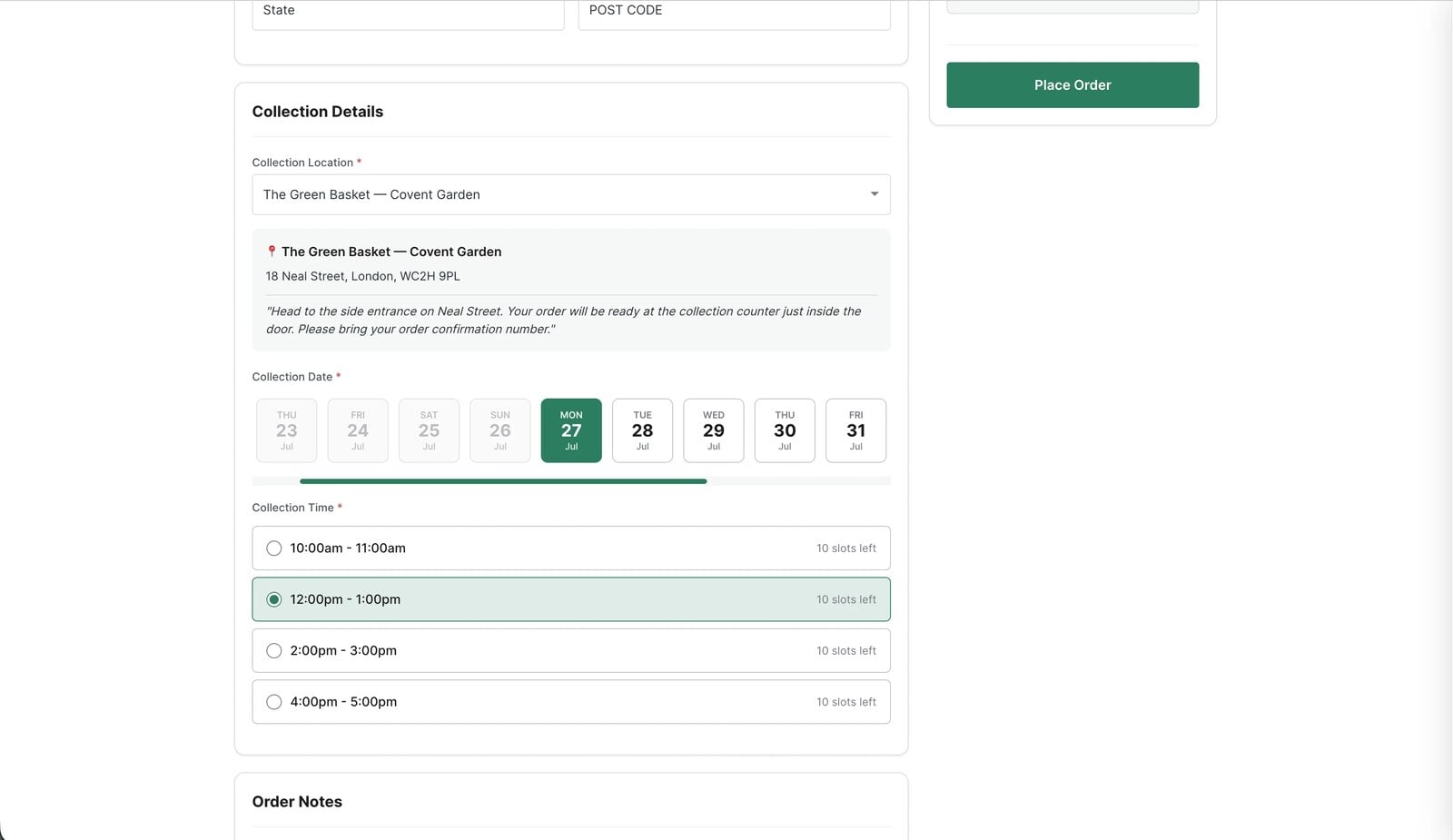
You set the collection days and half-hour slots, and how many orders each slot can take. When a slot is full it disappears from the checkout by itself, so the 8:00 slot on the 24th holds the twelve orders your counter can actually hand over, and the thirteenth customer is offered 8:30. Set how far ahead customers can book, so Christmas Eve slots are open from the day you launch your Christmas list in November. That’s all in the free version.
Sizes, weights and packs, the way you sell them
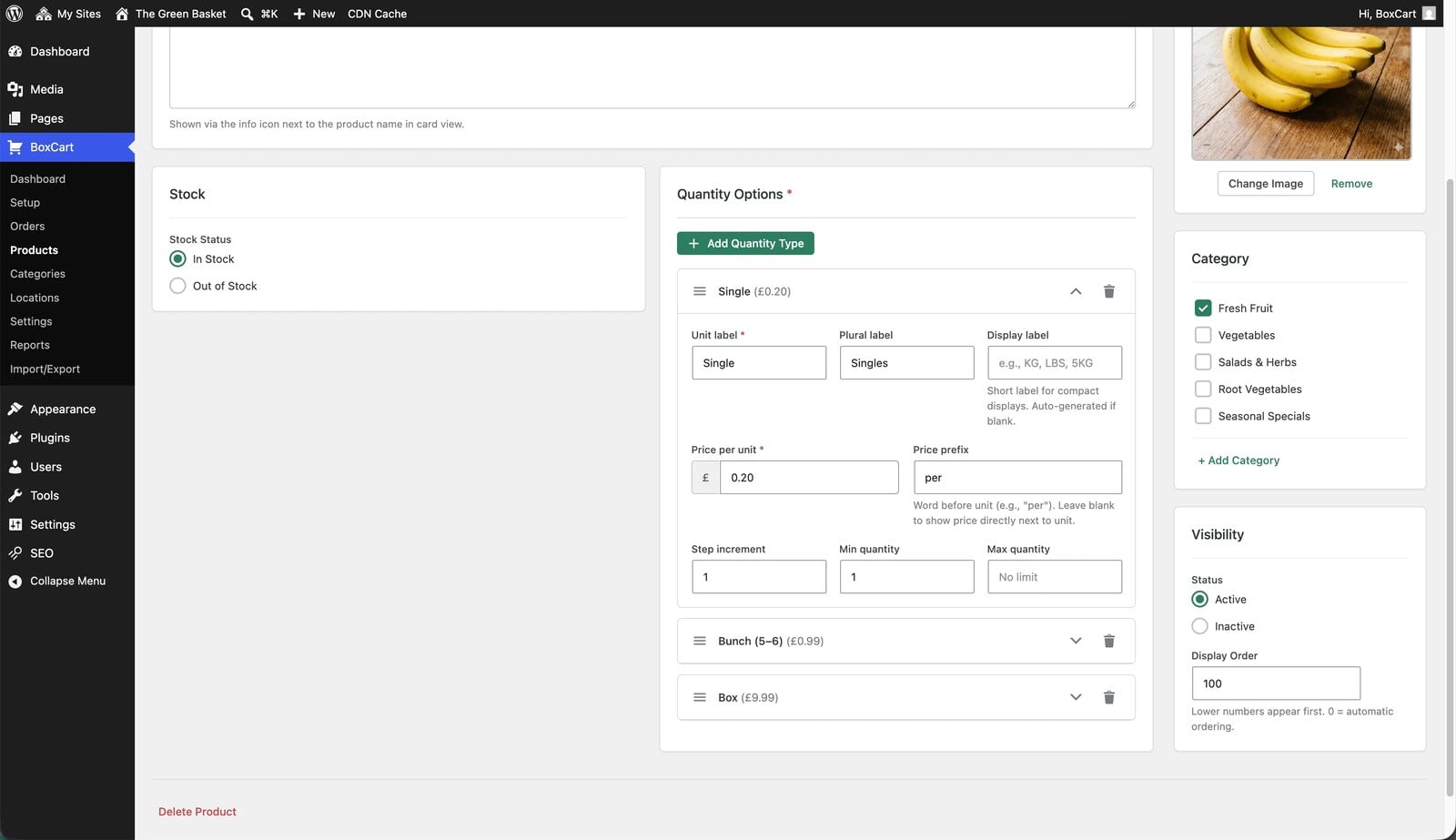
Each product sells in the units you choose: a turkey by weight band, gammon by the kilo in half-kilo steps, sausages by the pack of six or twelve, with a minimum and maximum so nobody orders a 400 g turkey. The price follows the quantity and is fixed at checkout. BoxCart doesn’t re-price an order after weighing, so sell variable items in bands you can honour. Or, if Christmas weights vary too much to price up front, switch prices off and take payment at the counter. Customers reserve what they want and pay when they collect.
The preparation notes
The checkout has an order notes box, so “bone and roll the rib, please” and “no giblets” arrive with the order, typed, and print with it.
The deadline
BoxCart’s order cut-off applies to the whole shop: a lead time, or a set time such as 4pm the day before collection. It stops anyone booking a slot you can’t prepare for. It isn’t a calendar date per product, so for the hard Christmas deadline, the day your turkey order goes to the farm, switch your Christmas products to out of stock that morning. It’s a few clicks in the product list, and the website says no for you from then on.
Payment and confirmation
Cash on collection and bank transfer are free. BoxCart Pro adds card payments through Stripe, so a big order can be paid in full when it’s placed. One honest gap: BoxCart doesn’t take deposits, so it’s paid in full or paid at collection. Every customer gets a confirmation email with their order number straight away, and a “ready to collect” email when you mark it packed.
Christmas hours, closures and the busiest days (Pro)
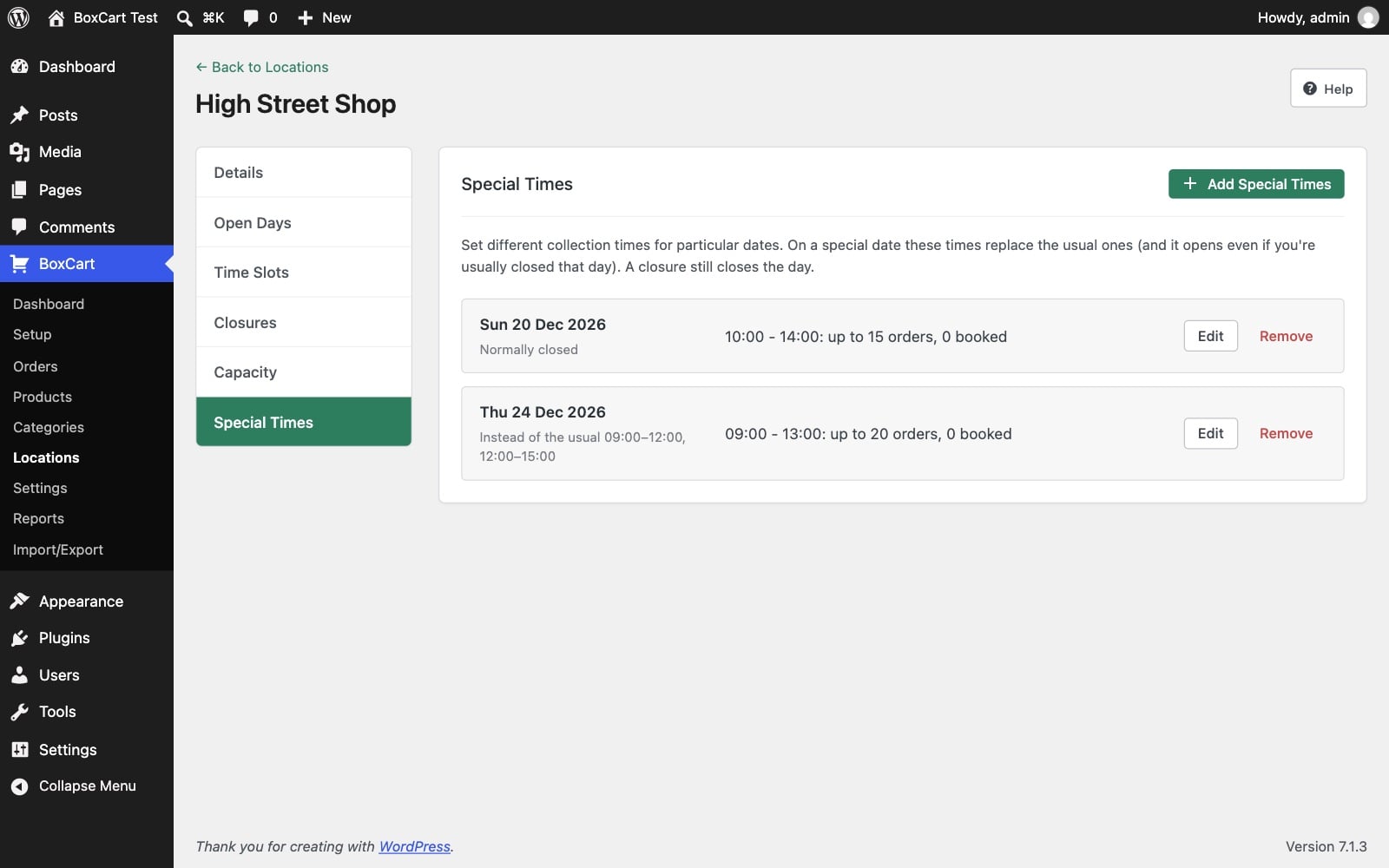
This is where Pro earns its keep in December. Special times let you set different collection times for particular dates, so you can open on the Sunday before Christmas, or run longer Christmas Eve hours with more orders per slot, without touching your normal week. Closures switch off the days you’re shut between Christmas and New Year. And capacity overrides raise the slot limits on the 23rd and 24th when every pair of hands is on the counter.
Adding it all up
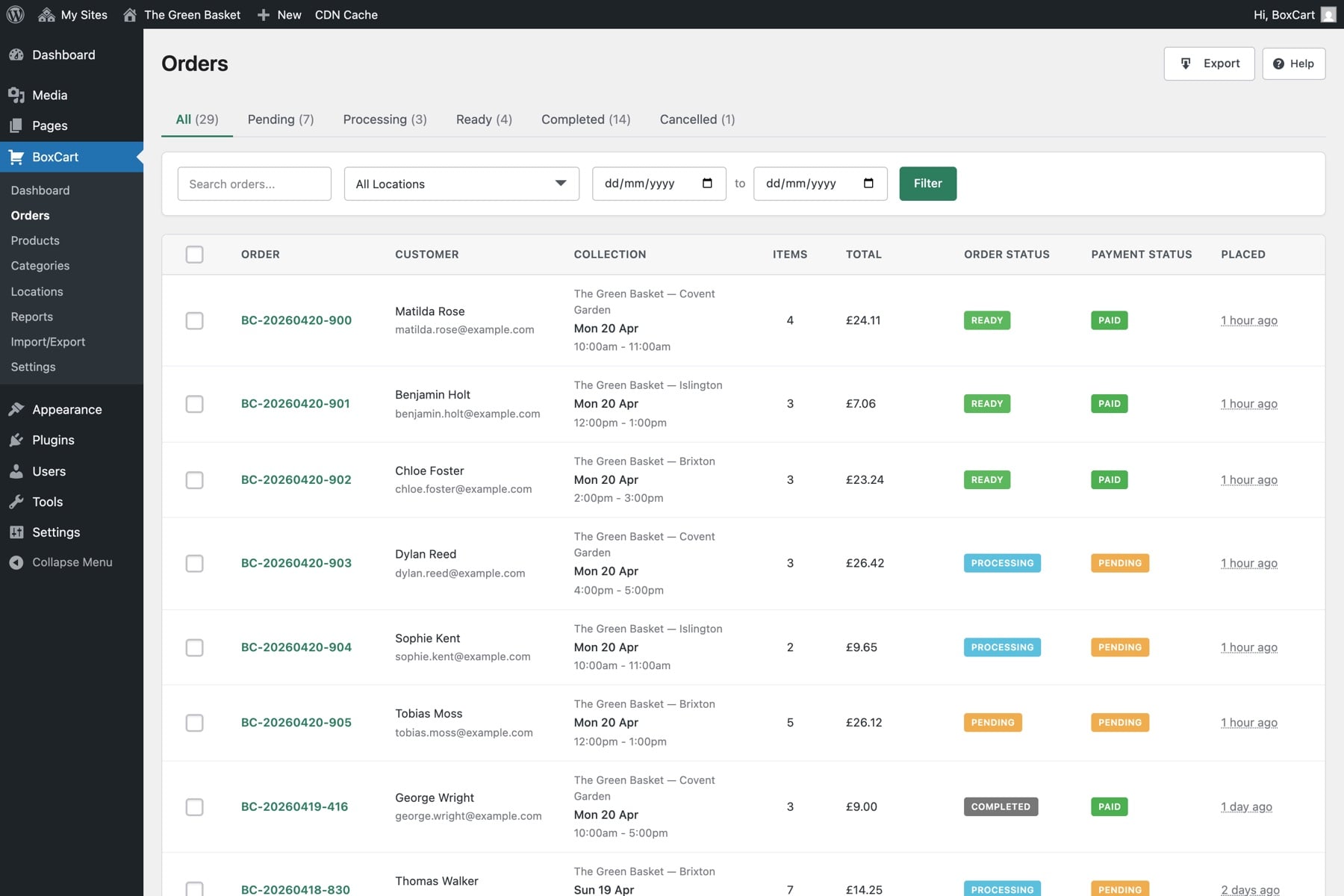
Every order sits in one list, by collection day and time, and the day’s orders export to a spreadsheet in the free version, one row per order. The supplier tally, every product added up across the day’s orders, is Pro’s pick list: how many of everything, in one printout, instead of a Sunday night with a calculator. Pro customers with an account can also change their own order until your cut-off, which takes care of most “can we swap the gammon?” calls.
A Christmas timeline that works
- Late October: settle the Christmas list and its sizes, add the products, set your Christmas collection slots and closed days.
- Early November: open orders. Tell every regular at the till, put the link on your social pages and on a card by the scales.
- Your supplier deadline: switch the Christmas products to out of stock, and the order book closes itself.
- The 23rd and 24th: print the list, pack in collection order, write the order number on each bag.
Keep a few paper forms anyway
Some of your best customers will still want to write it down, and that’s fine. Keep a few forms behind the counter, and when one comes in, put it through the shop yourself, choosing their slot. It takes a minute, and it means every Christmas order, phone, paper or online, ends up on the same list with the same order numbers.
If you’re a UK shop and would rather not set this up yourself, our Click & Collect Websites service does it for you: we build the ordering shop, load your whole Christmas range and host it, alongside the website you already have.
Otherwise, BoxCart is free on WordPress.org. Try the customer side on the butcher demo shop first: order a joint, pick a slot, and imagine forty of those arriving in November instead of on the 23rd.
Add local pickup to your shop
BoxCart is free on WordPress.org, a complete pickup-ordering store with time slots and no WooCommerce required.
Rather we set it all up for you? Click & Collect Websites builds, hosts and looks after your ordering shop.