
Ask any shop that has run click and collect for a while and they will tell you the orders are not the hard part. The collections are. Everyone chooses Friday. Nobody says when on Friday. So Friday afternoon becomes a pile-up of handovers on top of your busiest walk-in trade, while Tuesday sits empty. And then there are the orders that do not get collected at all: bagged, labelled, moved around the stockroom for three days, and finally unpacked back onto the shelf, or binned if it was fresh.
That second problem is bigger than most shop owners realise. Research by Evoke, a UK retail technology firm, found that roughly one in seven click and collect orders is never picked up, which at the time added up to an estimated £228 million of goods sitting in British stockrooms. A shop does not need many of those a week for the whole idea of collection to start feeling like more trouble than it is worth.
The fix for both problems is the same, and it is not a gadget. It is how you design your collection time slots. A well-designed slot does two jobs at once: it spreads collections so they arrive at a pace you can serve, and it turns a vague intention (“I’ll pop in Friday”) into an appointment (“Friday, 4pm to 4:30pm”), which people keep. Here is how to design slots that actually do that.
Five decisions that make or break your slots
1. Match the slot length to the handover
Time how long one collection really takes: greet, fetch, check, hand over. If it is three minutes, half-hour slots are right. If collections involve checking a decorated cake with the customer or loading boxes into a boot, use longer windows. Slots shorter than your handover create queues by design.
2. Cap each slot at what the counter can serve
The cap is the whole point of a slot. One person on the counter who can comfortably do four handovers in half an hour alongside walk-ins means the cap is four, not “as many as order”. It feels wrong at first to turn away a fifth order for a slot. It feels a lot less wrong than five customers queuing behind your till at ten past four.
3. Set a lead time on anything you prepare
If orders need picking, packing, baking, or cutting, give yourself notice: an hour, a day, 48 hours for made-to-order. A lead time also acts as your order cut-off, so “order by Wednesday for Thursday collection” is not a rule you enforce by apologising on the phone; it is just how the calendar behaves.
4. Don’t open more future days than you can promise
Fresh stock and small teams change week to week. Opening three months of collection dates invites orders you cannot yet see your way to fulfilling. A one-week or two-week booking window keeps every promise inside what you actually know.
5. Put your slots where your quiet hours are
Slots are a lever on footfall. If Saturday 10am to noon is chaos, offer fewer collection slots then and more in the early afternoon lull. Customers pick from what you offer, which means, quietly, you decide when your busy periods happen.
A worked example: sizing a Saturday
Say you run a deli, open 9am to 4pm on Saturdays, two people in, and a handover takes about three minutes once you have found the bag. Realistically, alongside walk-ins, one of you can do four handovers per half hour without the counter suffering. So: half-hour slots from 9am to 3:30pm, capacity four, is 13 slots and up to 52 collection orders, spread across the day, none of them colliding with each other. If your picking happens in the morning, set a lead time of a few hours so nothing books for 9am that was ordered at 8:40. If Saturdays keep selling out, that is not a problem, it is data: raise the caps in the afternoon lull first, and only then in the rush.
Now compare that with the same 52 orders under “collect any time Saturday”: you have promised the same work with no control over when it arrives, and it will arrive when it suits everyone else, which is 11am and 4pm. Same orders, same staff, completely different day.
Setting this up in BoxCart
All five of those decisions are settings in BoxCart, a free WordPress plugin built for collection-only shops. In your location’s schedule you define the slots for each open day, give each one a capacity, and set your lead time and how far ahead customers can book. That is the whole configuration.
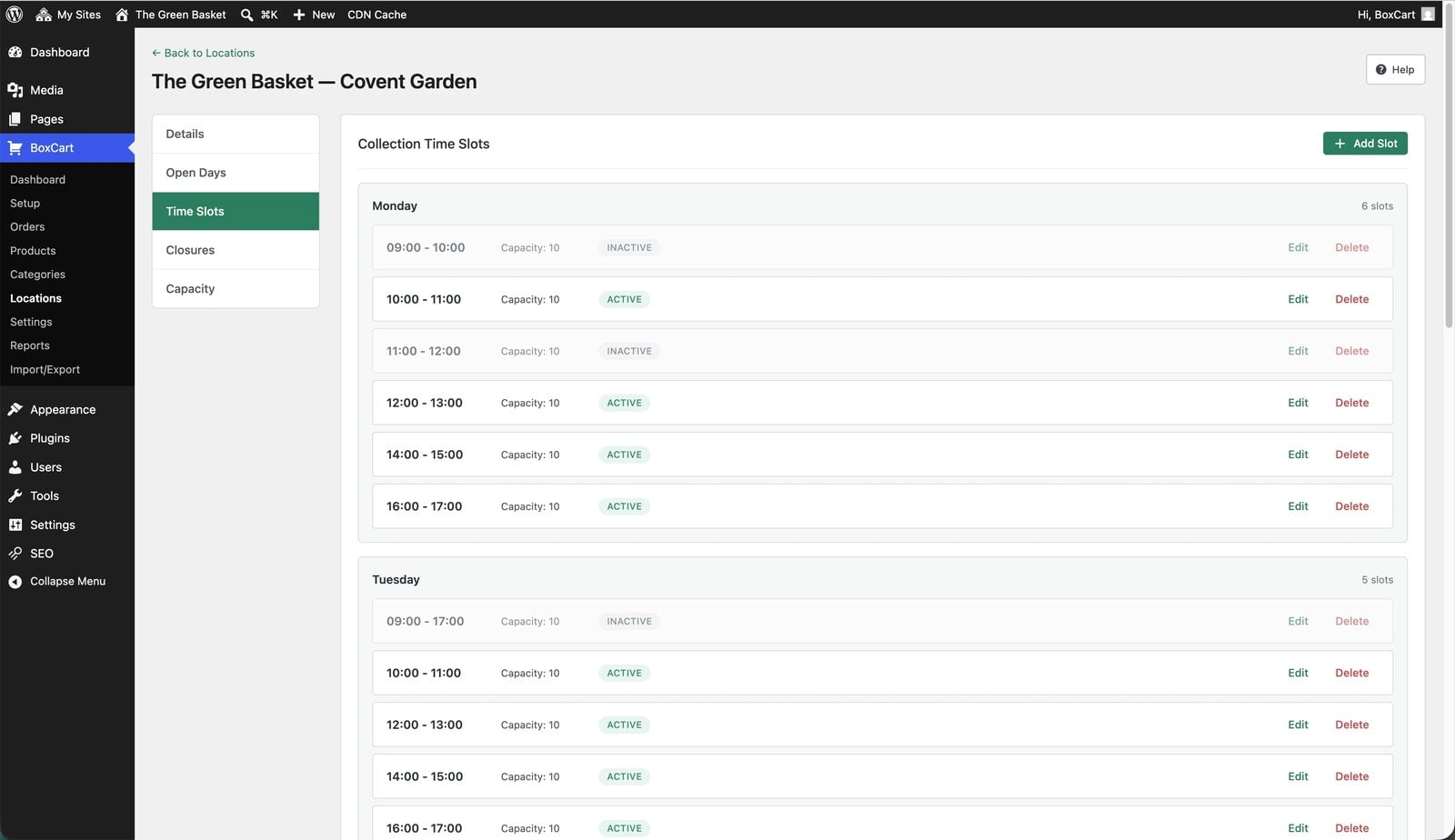
From there the plugin enforces the design for you. A slot that reaches its cap drops off the checkout on its own, no crossed fingers involved. Dates inside your lead time never appear. And you can choose how availability reads to customers: show remaining spaces all the time, only when a slot is nearly full (“2 spaces left”, which nudges a dithering customer to commit), or not at all. If a fully booked day looks untidy, tell BoxCart to hide unavailable dates entirely.
What the customer sees, and why it reduces no-shows
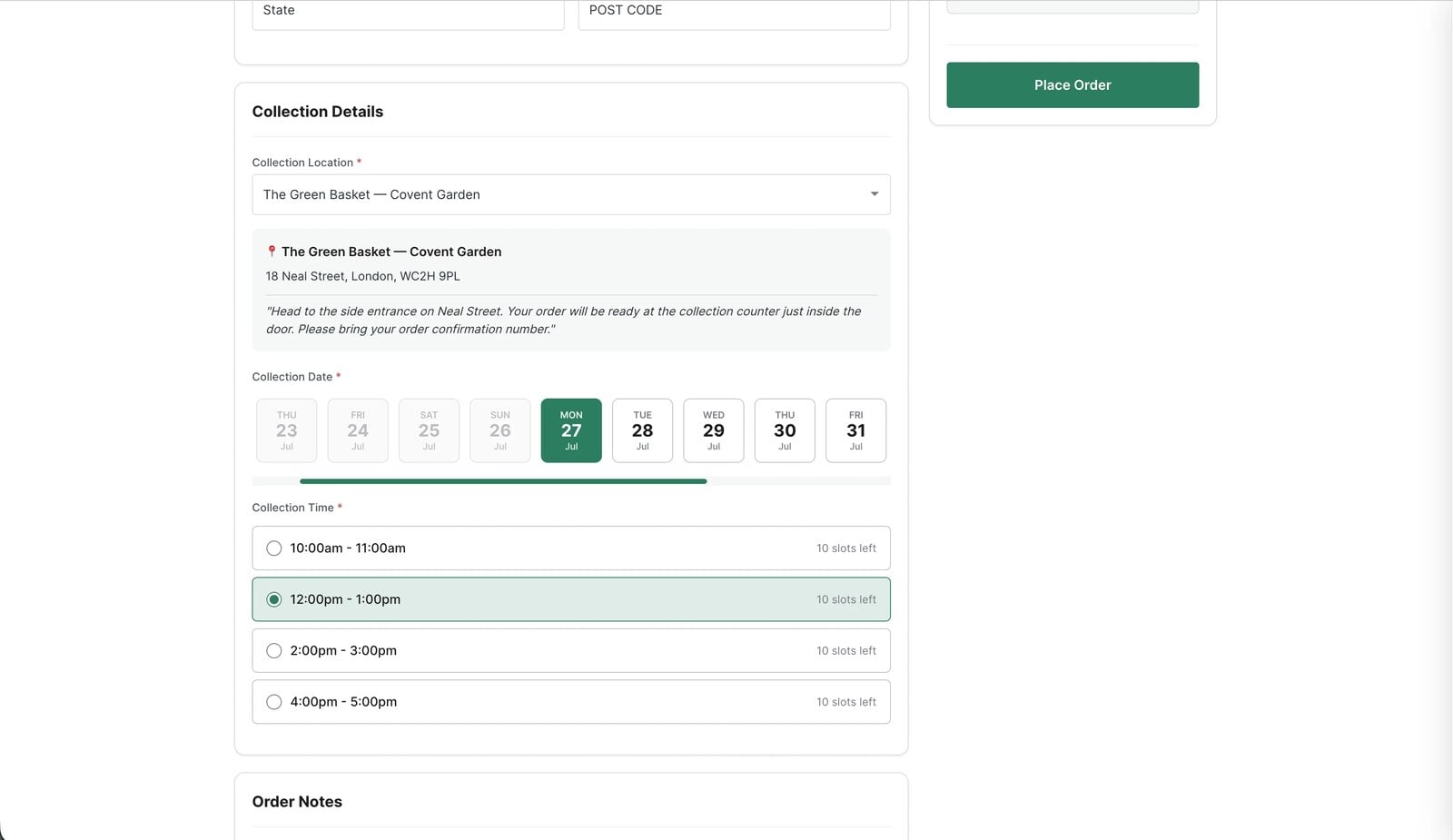
At checkout the customer picks a date, then a time, from exactly the windows you opened. It reads like booking a table, and that is the psychology doing the work: a chosen slot is a small commitment, made by them, not an open-ended offer made by you.
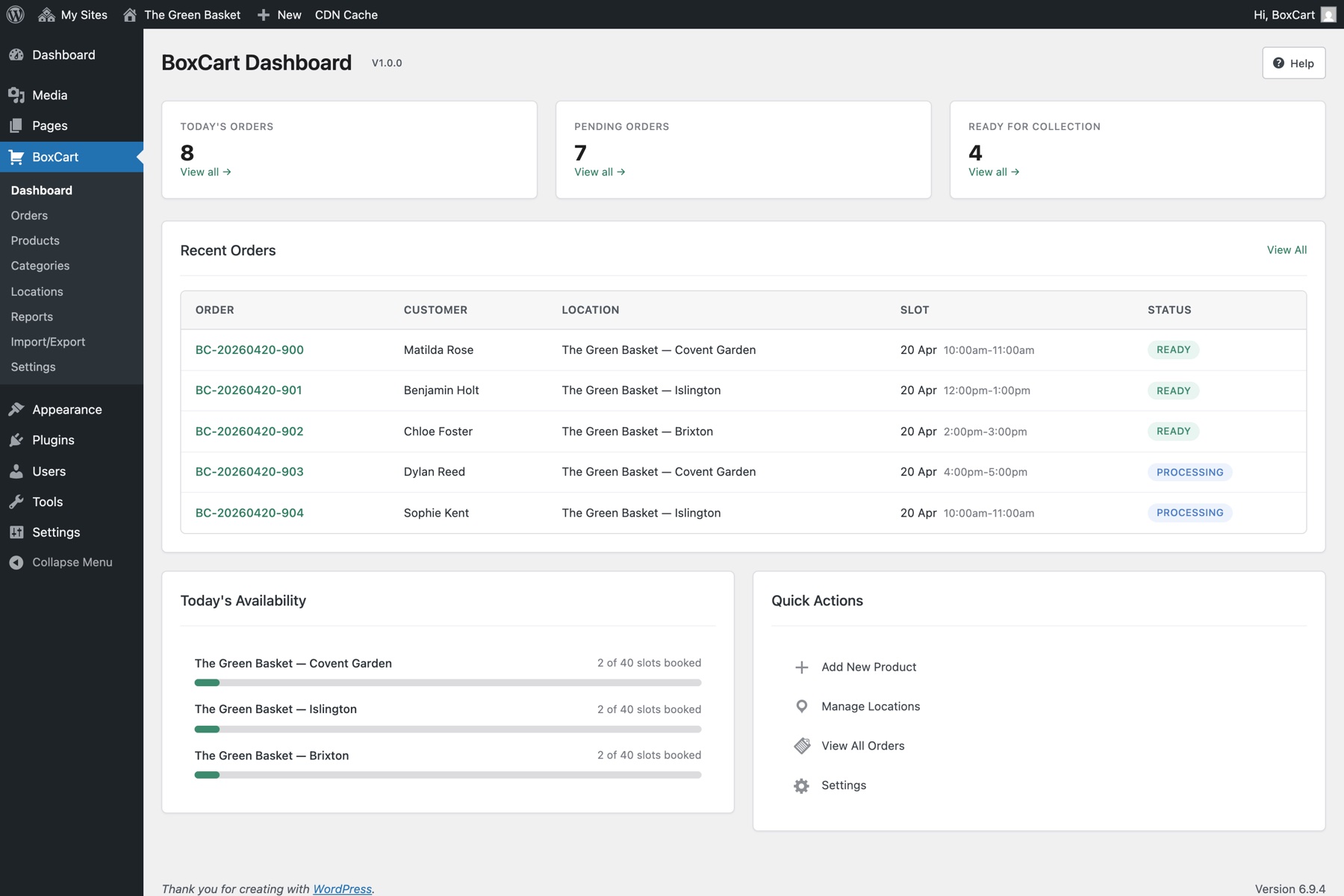
The moment the order lands they get a branded confirmation email with the items, the time, and your collection instructions (where to park, which door, what to bring). Later, when you mark the order ready in the dashboard, BoxCart can email them again: “your order is ready to collect”. Between the chosen slot, the written confirmation, and the ready email, most of the classic reasons for a no-show (forgot, never fixed a time, wasn’t sure it was ready) simply stop existing. All of that is in the free version.
When the ordinary week isn’t the problem
Slot design covers the normal rhythm. The exceptions are where BoxCart Pro comes in: per-date capacity overrides let you double the caps for the week before Christmas or halve them when you are short-staffed, without touching your standing schedule, and scheduled closures switch off collection dates for bank holidays and your week away before anyone can book them. Pro also adds two-way order messaging, which is handy for the one order a week that does need a conversation.
The test of a good slot design
You will know it is working within a fortnight: collections arrive in ones and twos across the day instead of a clump at closing time, the stockroom shelf of orphaned orders shrinks, and nobody on your team has had to say “sorry, we’re not ready” to a customer standing at the counter. If your collection setup cannot cap a slot, hide a full date, or hold back a made-to-order item until you have had time to make it, that is the gap to fix first. BoxCart is free on WordPress.org, and slot capacity is not an upsell; it is the point.
Add local pickup to your shop
BoxCart is free on WordPress.org, a complete pickup-ordering store with time slots and no WooCommerce required.
Rather we set it all up for you? Click & Collect Websites builds, hosts and looks after your ordering shop.