
It usually goes like this. You have a WordPress site for the shop, customers keep asking if they can order ahead, and every article you read says the same thing: install WooCommerce. So you do. And twenty minutes later you are staring at shipping zones, tax classes, warehouse and backorder settings, and a dashboard that assumes you are about to start posting parcels across the country, when all you wanted was for people in your town to order a box of veg, or a joint of beef, or a birthday cake, and come and get it.
Here is the thing the tutorials skip: WooCommerce is a full e-commerce platform, and for a collection-only shop, most of it is dead weight you still have to configure, update, and secure. There is a simpler route. This post looks honestly at what WooCommerce’s local pickup actually gives you, what it really costs to make it good, and what a purpose-built standalone alternative looks like.
What WooCommerce local pickup actually is
WooCommerce does ship with a free “Local Pickup” option, so nobody should tell you it cannot do pickup. But it is worth being precise about what that option is: a flat shipping method inside the shipping-zones system. It marks an order as collection rather than delivery, and that is more or less the whole feature. Out of the box there are:
- No collection dates or time slots. The customer orders, and when they turn up is between them and hope.
- No cap on orders. Nothing stops thirty customers all arriving in the same half hour on a Saturday.
- No lead time. A made-to-order item can be ordered for collection five minutes later.
- A checkout that still asks for a shipping address unless you add custom code or another plugin to hide it, because pickup lives inside machinery built for delivery.
For an occasional “I’ll set it aside for you”, that might be fine. For a shop where collection is the business, every one of those gaps matters, and each one is filled the same way: another extension.
The add-on staircase
This is where the “free” pickup gets expensive. To build a proper collection workflow on WooCommerce, the official route stacks up like this:
- Collection time slots, per-slot limits, and lead times come from WooCommerce’s own Delivery & Pickup Scheduler extension, a yearly subscription of roughly $100. Its sales page advertises exactly the things core lacks: limiting bookings per slot and giving yourself time to prepare orders.
- Multiple pickup points and per-location scheduling are another paid extension, Local Pickup Plus, at a similar yearly price.
- Selling by weight (per kg or per 100g, the bread and butter of butchers, delis, and greengrocers) needs the Measurement Price Calculator, at roughly $140 a year.
- A tidy pickup checkout often means one more plugin, or a snippet of custom PHP, to stop WooCommerce asking collection customers where to ship.
Individually the prices are survivable. Together, just to make collection work properly, you are into several hundred dollars a year, renewing every year, on top of hosting and a theme. And each extension is more code running on every page load, one more update to apply, and one more thing that can conflict with the next update of everything else. WooCommerce’s own documentation is refreshingly honest that its stored options data “can slow down the site” as it accumulates; a stack of extensions accelerates exactly that.
When WooCommerce is the right answer
To be fair to it, because it deserves fairness: if you post parcels, run hundreds of products with variations, sell subscriptions or digital goods, or need the enormous WooCommerce extension ecosystem, use WooCommerce. It is excellent at being a full online store, its card payments are built in rather than an upgrade, and no standalone pickup plugin will match its breadth. The argument here is narrower: a collection-only shop is not a small version of that problem. It is a different problem.
The standalone alternative
BoxCart is a free WordPress plugin built only for local pickup, with no WooCommerce underneath. The features the add-on staircase sells are its starting point, in the free version:
- Collection time slots with a limit on orders per slot, and full slots dropping off the checkout automatically
- Lead times and a days-ahead window, so made-to-order items get the notice they need
- Products sold by unit, by pack, or by weight in the steps you choose
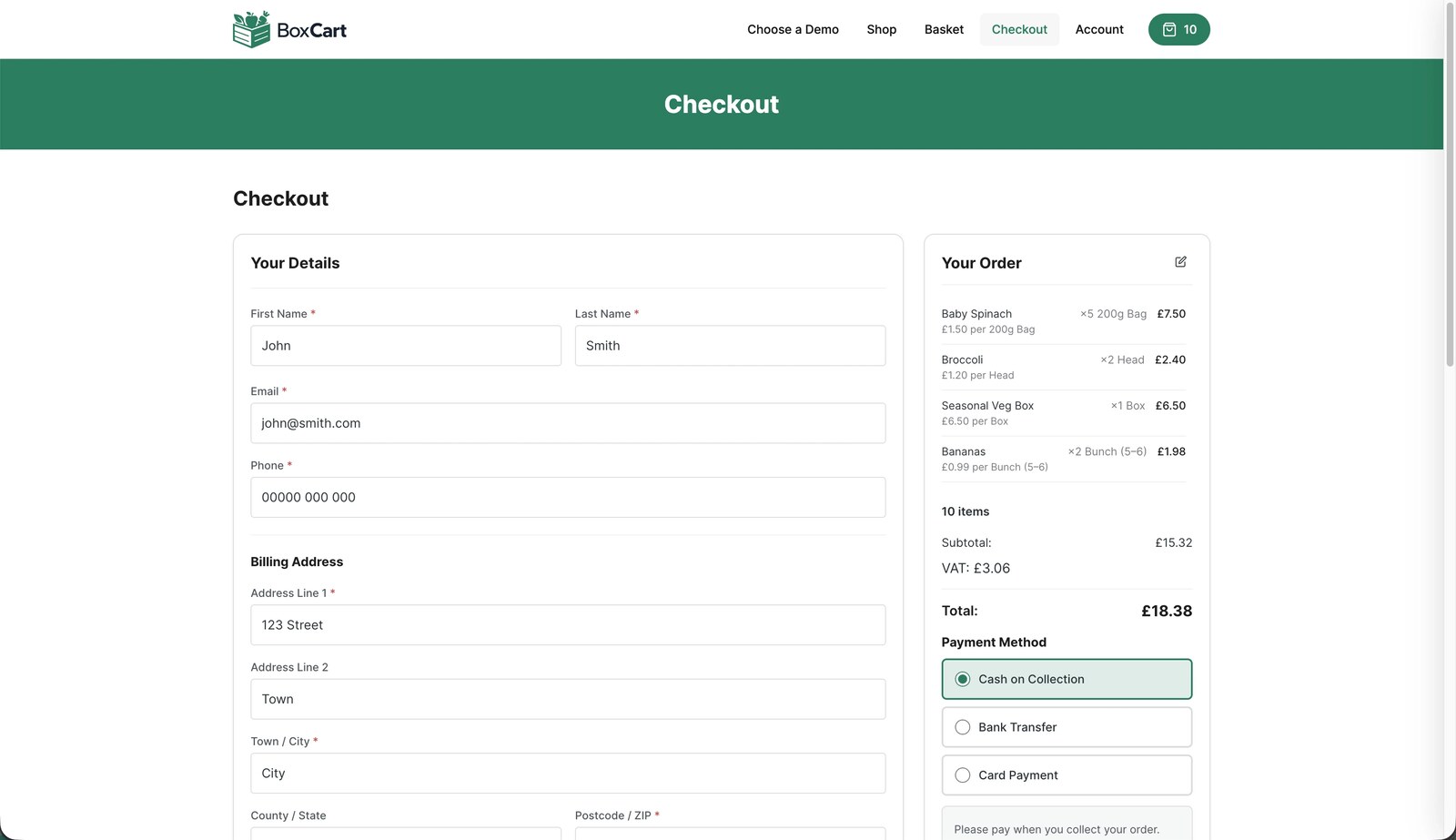
- A checkout built around choosing a collection time, with no shipping address in sight
- Cash on collection and bank transfer, an order dashboard, status emails, and order export to a spreadsheet
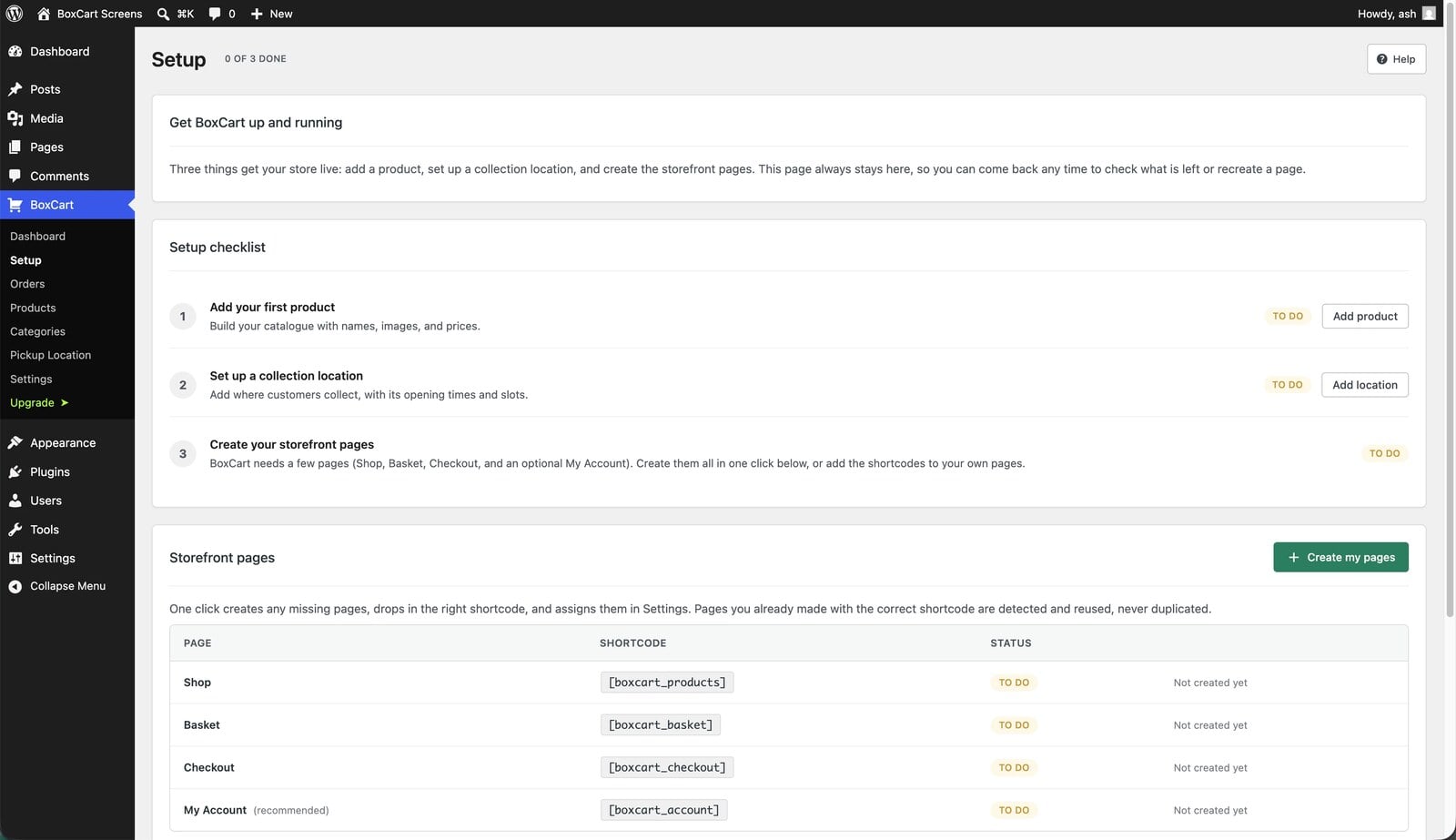
Because it only does collection, there is nothing to switch off. No shipping zones and no delivery machinery idling in the background. Tax is a single rate you set once, shown inclusive or exclusive as you prefer, because everyone collects from the same counter and so pays the same rate. The guided setup creates your Shop, Basket, and Checkout pages in one click, and a shop with a handful of products can genuinely take its first order the same afternoon.
Side by side, for a collection-only shop
| What you need | WooCommerce route | BoxCart |
|---|---|---|
| Time slots + per-slot limits | Paid extension (~$100/yr) | Built in, free |
| Lead time for made-to-order | Same paid extension | Built in, free |
| Sell by weight or pack | Paid extension (~$140/yr) | Built in, free |
| Pickup-shaped checkout | Custom code or plugin | The default |
| Pay on collection | Cash-on-delivery workaround | Built in, free |
| Card payments online | Built in, free | BoxCart Pro (Stripe) |
| Tax (VAT / sales tax) | Multiple rates, classes, and zones | One shop-wide rate, built in |
| Shipping and delivery | Fully supported | Not what it’s for |
Notice the bottom of the table. If you want customers paying by card up front, WooCommerce includes that and BoxCart puts Stripe (with Apple Pay and Google Pay) in the Pro version, alongside multiple locations, printable pick lists, and sales reports. And if you need delivery at all, BoxCart is honestly not your tool. The comparison only tilts one way because collection-only shops spend most of their money and maintenance time on WooCommerce features they will never use.
What the checkout feels like
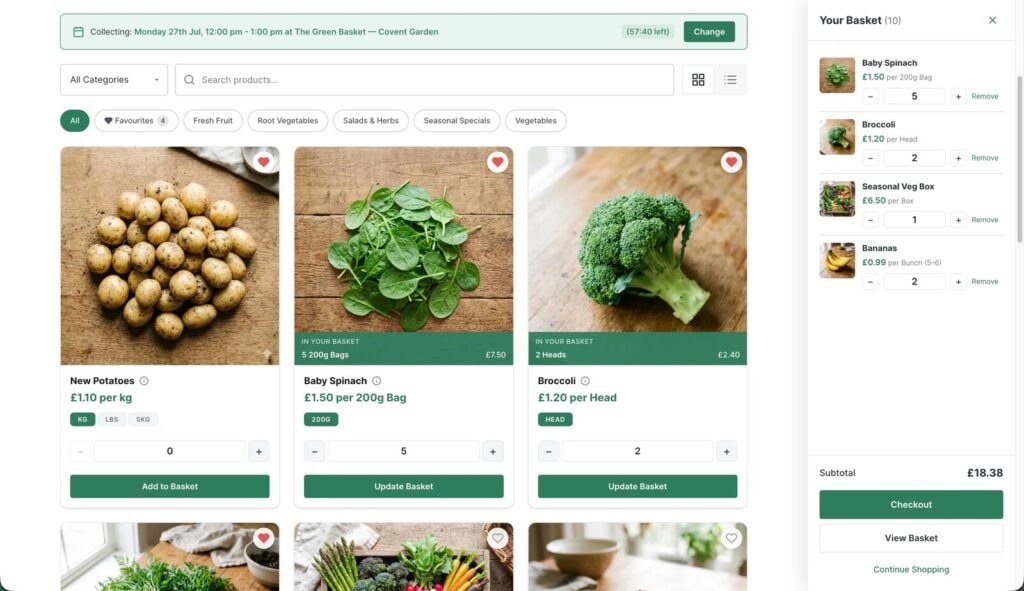
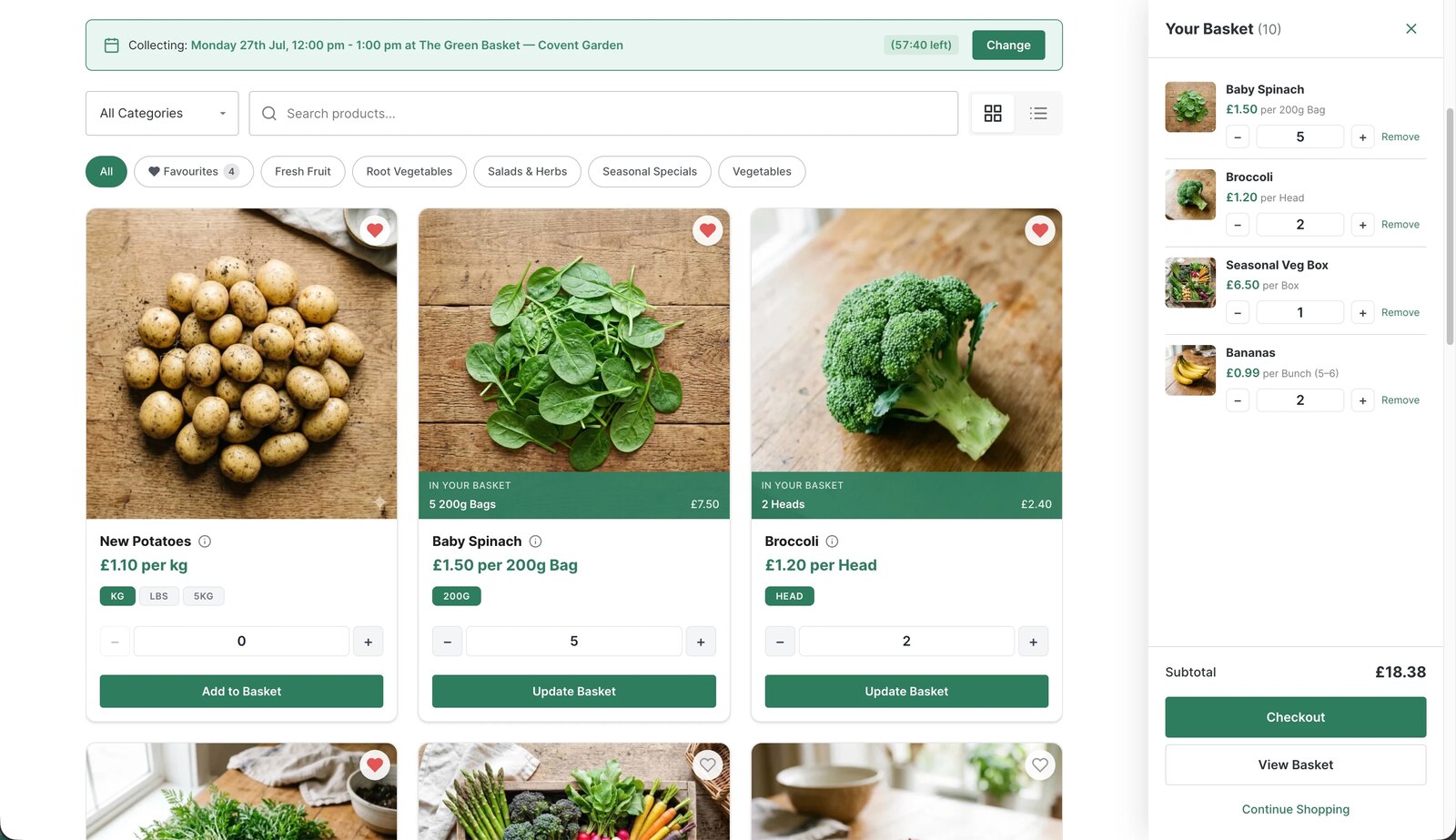
The part your customers meet is deliberately small: a card-view storefront with search and a mini-basket, then a checkout whose main event is picking a collection date and time from the slots you have opened, with live availability shown. Guest checkout is the default, so nobody is forced to create an account to buy a loaf of bread.
They choose how to pay from the methods you have switched on, they get a branded confirmation email with their collection time and a secure link to view the order, and you get the order on one list, in collection order, instead of a phone call you took with your hands full.
Deciding in one sitting
Ask one question: will this shop ever post anything? If yes, or if you are building a big catalogue with variations and subscriptions, set up WooCommerce properly and budget for the extensions; it will repay the effort. If the answer is no, and the whole job is local people ordering ahead and collecting, then you do not need a platform, you need a workflow, and you can have it free. Install BoxCart from WordPress.org, run the one-click setup, add five products, and place a test order. If it is not your answer, you have lost half an hour. If it is, you have just saved yourself a yearly add-on bill and a lot of settings screens you never wanted to meet.
Add local pickup to your shop
BoxCart is free on WordPress.org, a complete pickup-ordering store with time slots and no WooCommerce required.
Rather we set it all up for you? Click & Collect Websites builds, hosts and looks after your ordering shop.