
Somewhere along the way, “taking orders on WordPress” and “installing WooCommerce” became the same sentence. Every tutorial assumes it, most agencies default to it, and if you ask in a Facebook group how to let customers order from your shop’s website, the first three answers will say WooCommerce before you have finished describing the shop. It powers a huge share of the world’s online stores, so the advice is not crazy. But it is a default, and defaults deserve questioning, especially when you are the one who will be maintaining the thing at 9pm on a Sunday.
So, the actual question: do you need it? Here is the honest answer, in the form of a test you can apply in about a minute.
The one-minute test
You need WooCommerce (or something like it) if:
- You post or courier products to customers. Shipping zones, rates, labels, and tracking are exactly what it is built for.
- You run a large catalogue with lots of variations (sizes, colours, materials), backorders, and multi-location stock.
- You sell digital downloads, subscriptions, or memberships.
- You need its ecosystem: marketplace feeds, accounting integrations, dropshipping tools, the lot.
You probably do not need it if:
- Every order is collected in person from your shop.
- Your catalogue is dozens of products, not thousands.
- Stock control means marking a line out of stock, or counting down a number you set that morning.
- What you actually want is: customers order ahead, choose a collection time, and pay you either online or at the counter.
If the second list is your shop, then what you need is not an e-commerce platform. It is an ordering workflow, and running a whole platform to get one workflow is where the trouble starts.
What the default really costs a collection-only shop
Not the licence, which is free. The costs arrive later, in three forms.
Configuration you do not need. WooCommerce assumes delivery, so a collection-only shop spends its setup time switching things off: shipping zones arranged so pickup is the only survivor, address fields the checkout still wants to show, delivery machinery idling behind every screen. You are not configuring your shop; you are de-configuring someone else’s.
Add-ons for the features you actually wanted. Core local pickup has no collection time slots, no per-slot limits, and no lead times. The official extensions that add them are yearly subscriptions (roughly $100 a year for the pickup scheduler, similar again for multiple locations, more for weight-based pricing), which lands a collection-only shop at several hundred dollars a year to reach its starting point. We have broken this down properly in our WooCommerce local pickup comparison.
A maintenance surface you carry forever. Every plugin in the stack updates on its own schedule, and each update is a small gamble the others took too. WooCommerce’s own docs are candid that accumulated store data can slow a site down. None of this is scandalous; it is just the running cost of a platform, being paid by a shop that needed a fraction of one.
What the alternative looks like
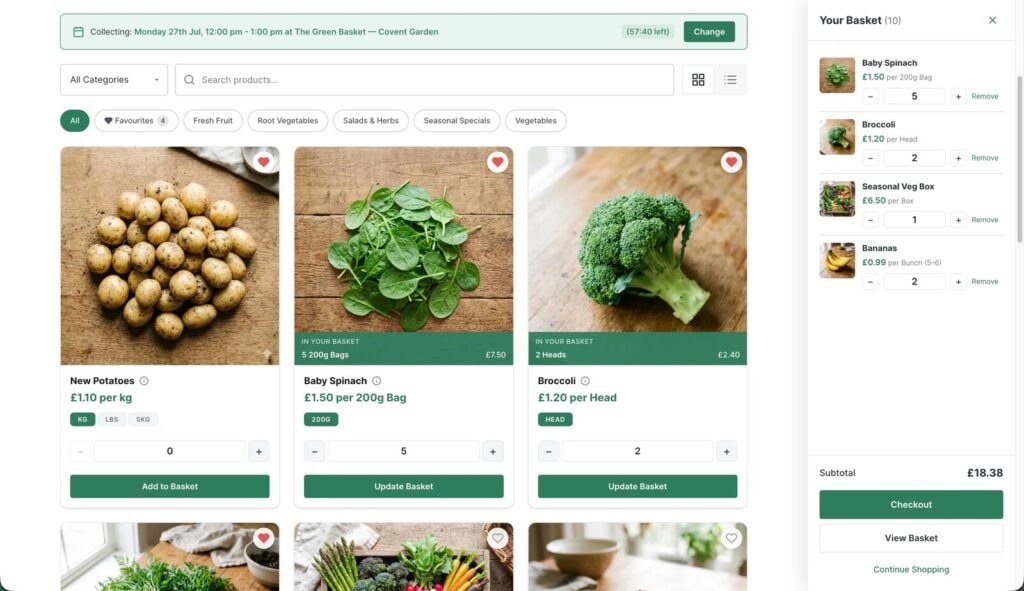
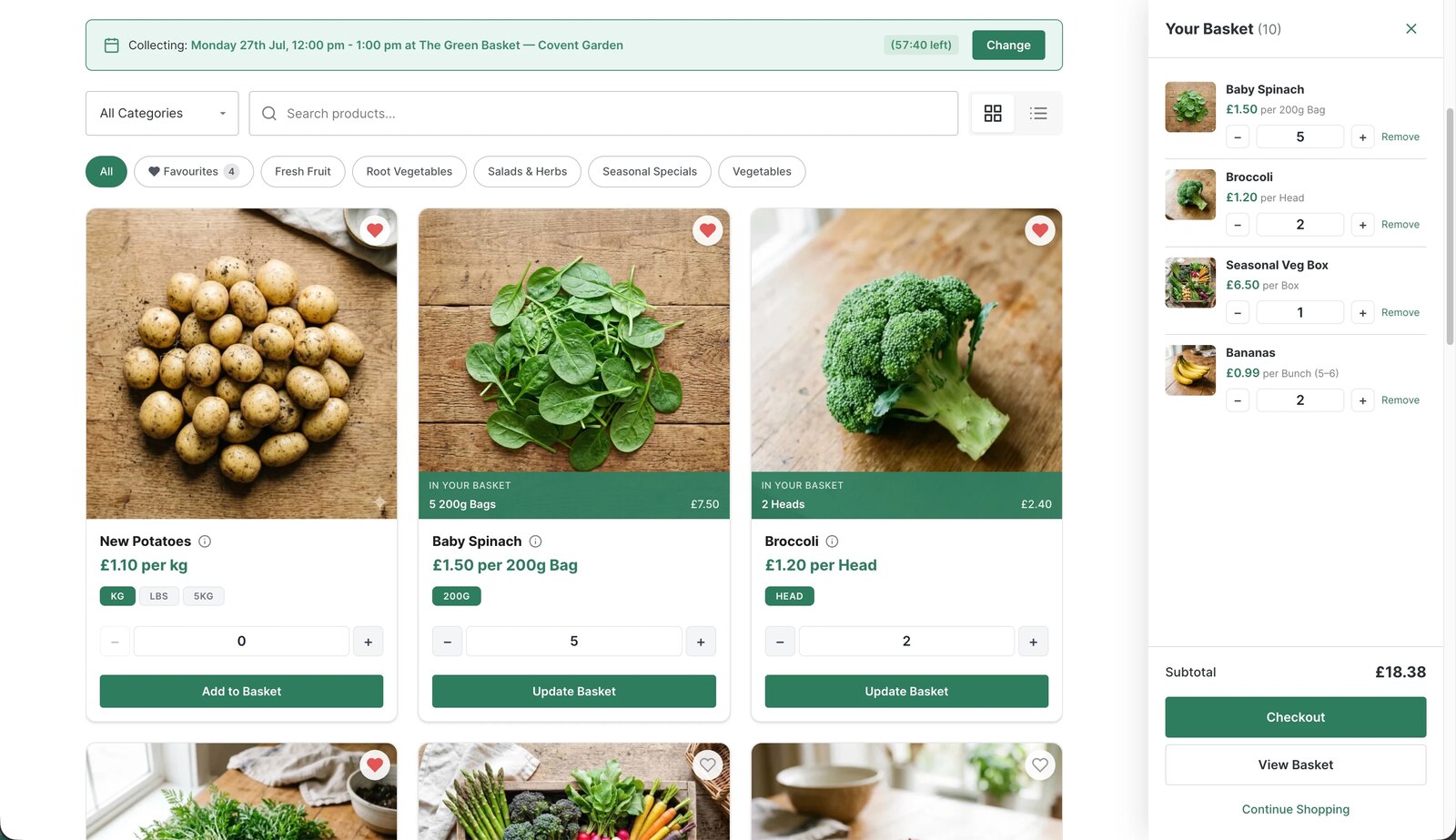
A purpose-built pickup plugin flips the shape of the job: instead of a platform you prune down, a small tool that does the one workflow completely. BoxCart is free, standalone, and does not touch WooCommerce. On your existing WordPress site it adds:
- A storefront, basket, and collection-time checkout, created as normal WordPress pages in one click by the guided setup
- Collection slots with per-slot limits, lead times, and a booking window, in the free version
- Products sold by unit, pack, or weight
- Guest checkout, branded confirmation and order-ready emails, an order dashboard, and spreadsheet export
- Cash on collection and bank transfer, free, with Stripe card payments available in Pro
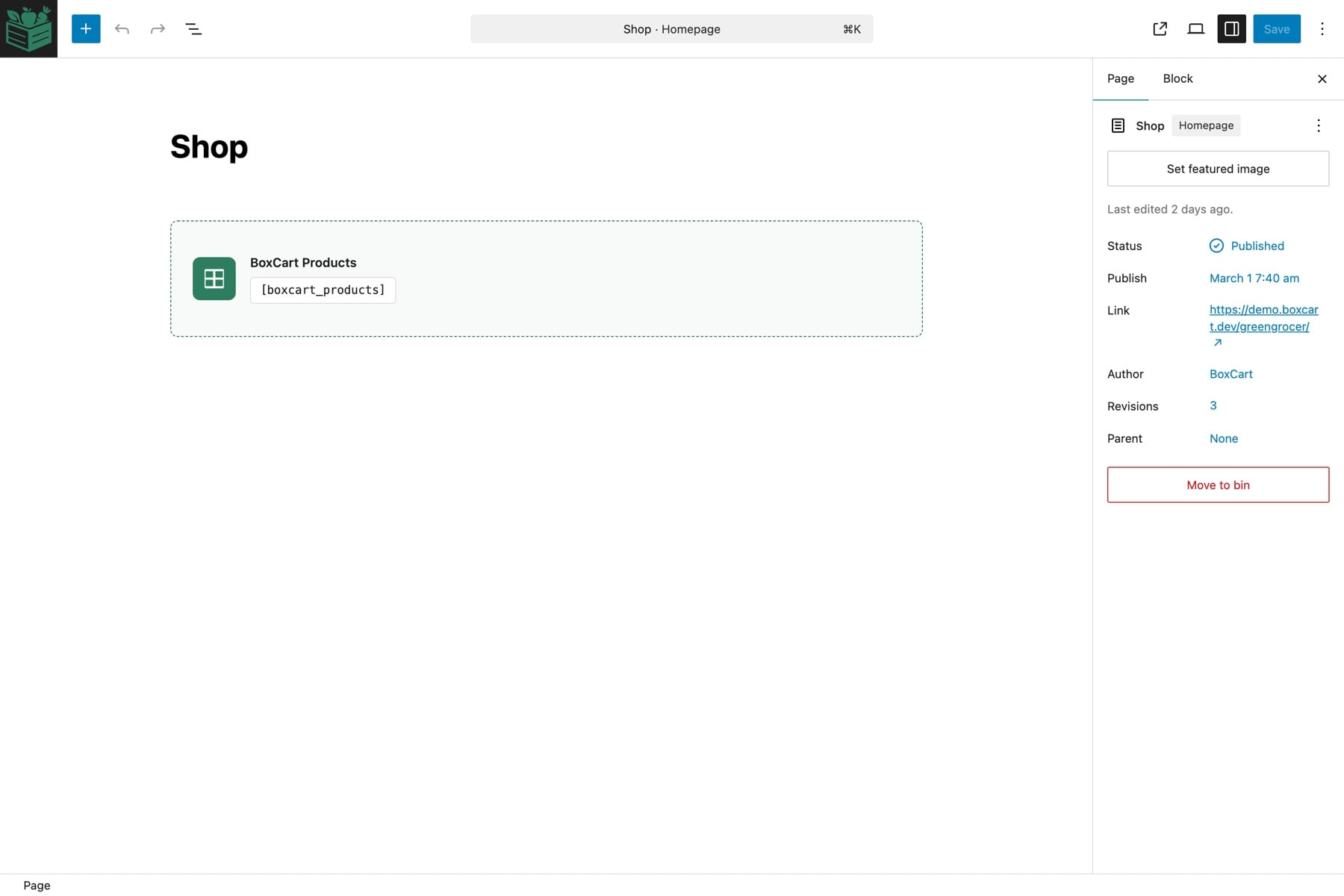
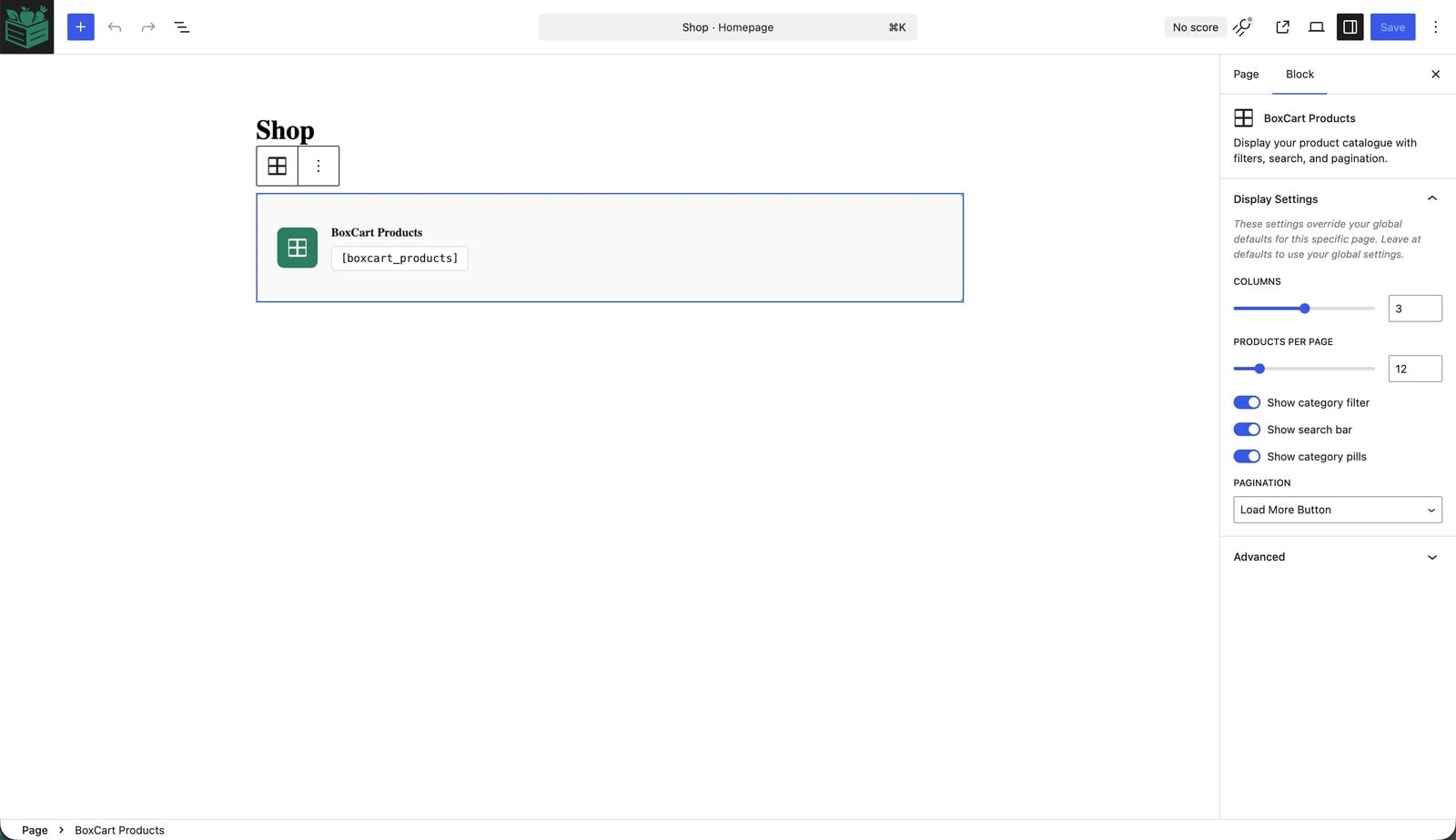
Because the storefront, basket, and checkout are just Gutenberg blocks (with shortcodes if you prefer), they drop into the site you already have, in the theme you already like. There is no separate “shop system” bolted to the side of your website; the ordering lives on your pages like any other content.
What about the non-WordPress routes?
For completeness, because “do I need WooCommerce?” often really means “do I need to rebuild everything?”: there are routes off WordPress too, and they carry their own trade-offs. Shopify and similar hosted platforms are polished but mean a monthly fee, a second website to maintain alongside the one you have, and per-transaction economics designed around delivery retail. Ordering marketplaces and delivery apps will happily list a local shop, in exchange for commission on every order and ownership of your customer relationship. And the humble order form built with a forms plugin is genuinely free, but it has no stock, no slot limits, no basket, and no payment, so it quietly becomes a phone-call generator with extra steps. If you already have a WordPress site you like, adding the ordering to it, rather than moving your shop into someone else’s system, is usually the cheapest and calmest option, which is the case BoxCart is built for.
“But what if we grow?”
The fear behind the WooCommerce default is usually this: better to start on the big platform in case we need it later. Two honest answers.
First, look at what growing actually means for a collection shop: more orders, more products, a second collection point, card payments, reporting. All of that is growth within the pickup workflow (BoxCart’s free version handles the volume, and Pro adds multiple locations, Stripe, pick lists, and sales reports). Growing does not automatically mean shipping.
Second, if one day you genuinely pivot to posting parcels nationwide, that is a new business model, and you would be re-platforming whatever you started on. Nothing about starting simple locks you in; your products are a spreadsheet export away, and your WordPress site stays your WordPress site throughout. Meanwhile you did not spend three years maintaining shipping infrastructure “just in case”.
The answer, then
Do you need WooCommerce to take orders on WordPress? If you ship: yes, and use it gladly, it is the best tool for that job. If your customers walk through your door to collect: no, and pretending otherwise costs real money and real Sunday evenings. Take the one-minute test, and if you landed in the second list, install BoxCart free from WordPress.org, run the guided setup, and place a test order on your own site before you next read a tutorial that opens with “first, install WooCommerce”. The fastest way to settle the question is to see the simpler answer running on your own site by teatime.
Add local pickup to your shop
BoxCart is free on WordPress.org, a complete pickup-ordering store with time slots and no WooCommerce required.
Rather we set it all up for you? Click & Collect Websites builds, hosts and looks after your ordering shop.